A Free Online Visual utility Platform

Explore free online screen tools, display tests, screensavers, clocks, timers, & simulators on ZafScreen.com 
simple, browser-based, full screen-ready, and easy to use on desktop, tablet, and mobile.

Color Screens

Choose an accurate solid color for screen testing, ambient light or photography, then use fullscreen or export a custom-size PNG.

White Screen · #FFFFFF
255, 255, 255RGB
0°, 0%, 100%HSL
100%Luminance

Double-click the preview or focus it and press F. Press Esc to exit fullscreen.

Clocks & Timers

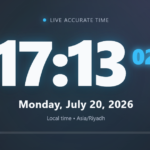
Digital Clock

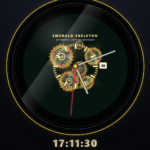
Analog Luxury Clock

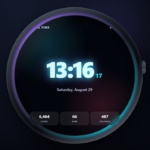
Digital SmartWatch 

Retro Digital Clock

Analog Smartwatch 

Screen Simulators

 Screen Dead

 Hacker Type Screen

Online Meeting

Radar Screen

Hacker Screen

Screensavers

QR Code Screen 

DVD Logo Screen

SMPTE Color Bars

MAC Update 

ChromeOS Update 

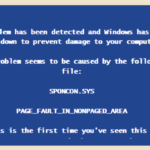
Windows Update

Screen Testers

Dead Pixal test

Stuck Pixel Test

Stuck Pixel Test

Green Screen Test

Backlight Bleed Test

 Screen Light Test

About Zafscreen Online Tools

ZafScreen.com is a free online platform built around useful visual tools, timers, clocks, color displays, screensavers, simulators, and simple browser-based utilities. Nothing complicated. You open the tool you need and start using it.

Sometimes that is exactly what people want.

Maybe you need a clean solid color for photography. Maybe a full screen timer for studying. Or perhaps you just want a relaxing aquarium, fireplace, analog clock, visual timer, or retro-style screensaver running in the background. ZafScreen brings these small tools together in one place, so you don’t have to keep searching across different websites.

The available tools include solid color displays, customizable color backgrounds, clocks, countdown and visual timers, classroom-style timers, digital and analog screensavers, smartwatch displays, fireplace and aquarium scenes, white noise visuals, retro VHS effects, update-style simulations, and other creative display tools.

Who can use them? Pretty much anyone.

Students can use timers for study sessions. Teachers may find classroom and visual timers handy. Photographers and content creators can use plain or custom colors while experimenting with photos and videos. Office users might prefer a simple clock or calming screensaver on a second device. And sometimes people just want something nice running quietly in the background. That’s fine too.

ZafScreen tools are designed to work directly in modern web browsers on desktop computers, laptops, tablets, and mobile phones. Many tools also include fullscreen options, which makes them more convenient when you want a cleaner viewing experience.

There is no software to install. No account to create either.

Just visit ZafScreen.com, choose a tool, and use it.

Simple idea. Useful in more situations than you might expect.

FAQ (Frequently Asked Questions)

What is ZafScreen.com?

ZafScreen.com is a free online platform offering visual tools, color displays, timers, clocks, screensavers, simulators, and other simple browser-based utilities.

Do I need to install anything?

No. ZafScreen tools work directly in your web browser. There is no software download or installation required.

Do I need to create an account?

No signup is required. You can open ZafScreen.com, choose a tool, and start using it immediately.

What devices does ZafScreen support?

ZafScreen is designed to work on desktop computers, laptops, tablets, and smartphones using a modern web browser.

Who can use ZafScreen tools?

The tools can be useful for students, teachers, photographers, content creators, office users, presenters, and anyone looking for simple visual or timing utilities.

What types of tools are available on ZafScreen?

ZafScreen includes solid color displays, visual timers, countdown tools, clocks, screensavers, aquarium and fireplace scenes, retro visual effects, update-style simulations, and other creative display tools.

Are ZafScreen tools free to use?

Yes. The tools are available online for general everyday use without requiring a paid account.

Can I use ZafScreen in fullscreen mode?

Many ZafScreen tools include a fullscreen option, which can provide a cleaner and more immersive viewing experience.

Scroll to Top