
Explore creative online screensavers at ZafScreen.com, from classic effects to modern display simulations. Choose from DVD Logo Screen, SMPTE Color Bars, Broken Screen, Noise Screen, Mechanical Screen, Quote Screen, Raining Effect, Plasma Effect, Lava Lamp, Aquarium Screen, VHS Glitch Screen, and several update-style screensavers for Mac, ChromeOS, Windows, Linux, Xbox, and PlayStation.
Screensavers
QR Code Screen
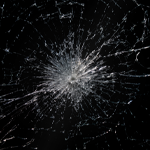
Broken Screen
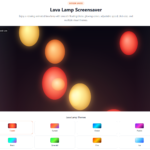
Lava Lamp Screen
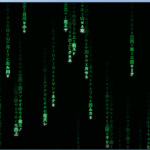
Matrix Screen

DVD Logo Screen
Noise Screen
Aquarium Screen
SMPTE Color Bars
Mechanical Screen
Linux Update Screen
MAC Update
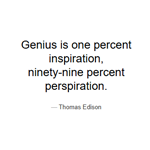
Quote Screen
Xbox Update Screen
ChromeOS Update
Raining Effect
PlayStation Update

Windows Update
Plasma Effect
VHS Glitch Screen
About Screensavers
Sometimes a blank display feels a little boring. You may want something moving in the background while working, a retro visual for a presentation, or simply a fun effect to leave running on a second device. That is where the online screensavers at ZafScreen.com come in.
ZafScreen.com offers a growing collection of free browser-based screensaver tools and visual effects that you can open instantly. No software to download. No account to create. Just pick a screensaver and use it.
Love old-school visuals? The DVD Logo Screen brings back that familiar bouncing DVD-style look, while the VHS Glitch Screen creates a retro video effect with distorted lines and movement. The SMPTE Color Bars option gives you the classic broadcast-style color pattern many people recognize from television.
For something more relaxing, try the Raining Effect, Plasma Effect, Lava Lamp Screen, or Aquarium Screen. These work nicely as background visuals on a desk, second display, tablet, or presentation setup. Sometimes it is just nice to have something moving quietly in the background.
There are playful options too. The Broken Screen creates a cracked-display effect, while the Noise Screen shows an old television-style static pattern. The Mechanical Screen adds moving gears, and the Quote Screen displays inspirational text in a clean visual format.
ZafScreen also includes several update-style screensavers, such as Mac Update, ChromeOS Update, Windows 11 Update, Linux Update Screen, Xbox Update Screen, and PlayStation Update. These are visual simulations made for entertainment, presentations, demonstrations, or creative setups. They do not perform actual software updates.
The QR Code Screen is another simple option for displaying a QR-style visual clearly on a larger area.
These free online screensavers can be useful for students, creators, office users, presenters, photographers, streamers, or anyone who wants a different look for an idle display.
Most tools work directly in modern browsers on desktops, laptops, tablets, and compatible phones.
No installation. No signup.
Open ZafScreen.com, choose a screensaver, switch to fullscreen where available, and enjoy the visual.
FAQ (Frequently Asked Questions)
What are the Screensaver tools on ZafScreen.com?
ZafScreen.com offers free online screensavers and visual effects that run directly in your browser. You can choose from retro effects, animated backgrounds, update-style simulations, relaxing visuals, and other creative display tools.
Are ZafScreen screensavers free to use?
Yes. The screensaver tools are available online and can be opened without paying for access.
Do I need to install any software?
No. There is nothing to download or install. Just open ZafScreen.com in a modern browser, choose a screensaver, and start using it.
Do I need to create an account?
No signup or account is required. Most tools can be used immediately.
What types of screensavers are available?
ZafScreen includes tools such as the DVD Logo Screen, SMPTE Color Bars, Broken Screen, Noise Screen, Mechanical Screen, Quote Screen, Raining Effect, Plasma Effect, Lava Lamp Screen, Aquarium Screen, VHS Glitch Screen, and several update-style screensavers.
Does ZafScreen have relaxing screensavers?
Yes. The Aquarium Screen, Raining Effect, Lava Lamp Screen, and Plasma Effect can be useful when you want a calm or decorative visual running in the background.
Are the update screens real system updates?
No. Screens such as Mac Update, ChromeOS Update, Windows 11 Update, Linux Update, Xbox Update, and PlayStation Update are visual simulations only. They do not install, download, or change your device software.
What is the VHS Glitch Screen?
The VHS Glitch Screen creates a retro video-style appearance with visual distortion and glitch effects. It can be useful for creative backgrounds, presentations, streaming setups, or just for fun.
What is the DVD Logo Screen?
The DVD Logo Screen recreates the familiar bouncing DVD-style logo effect. It is a simple nostalgic screensaver that works well on idle displays or second screens.
Can I use ZafScreen screensavers in fullscreen mode?
Many ZafScreen screensavers support fullscreen viewing where the browser and device allow it, giving the effect a cleaner and more immersive appearance.
Which devices support ZafScreen screensavers?
The tools are designed to work on modern desktop computers, laptops, tablets, and compatible smartphones. Performance may vary depending on browser and device capabilities.
Who can use these online screensavers?
They can be useful for students, office users, content creators, streamers, presenters, photographers, designers, or anyone who wants a fun or relaxing background visual.
Can I use these screensavers on a second display?
Yes. If your device supports multiple displays, you can open a ZafScreen screensaver in a browser window and move it to a second display.
Are ZafScreen screensavers suitable for presentations?
Yes. Effects such as SMPTE Color Bars, Quote Screen, Raining Effect, Plasma Effect, and update-style simulations can be useful for creative presentations, demonstrations, or visual backgrounds.