Screen Test Tools You can use tools such as the Dead Pixel Test, Stuck Pixel Test, Backlight Bleed Test, Color Screen Test, Green Screen, Red Screen, Blue Screen, White Screen, and Black Screen directly in your browser. They can be useful when checking a new laptop, desktop display, Mobile Phone Display tablet Display, TV, or other supported device.

Screen Tests

Dead Pixel Test

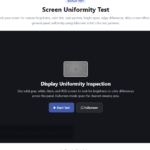
Screen Uniformity test

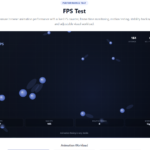
FPS test

Monitor Test

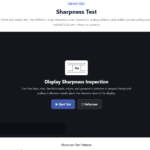
Screen Sharpness Test

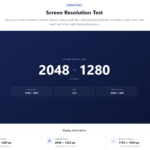
Screen Resolution Test

Stuck Pixel Test

Screen Info Tool

Screen Gamma Test

Green Screen Test

OLED Screen Test

Screen Contrast Test

Backlight Bleed Test

OLED Burn Test

Screen Color banding Test

 Screen Light Test

Refresh Rate Test

Green Screen light Test

About Screen Tests Tools

A screen can look perfectly fine at first glance. Then you notice a tiny pixel that never changes color. Or maybe dark areas look uneven. Motion does not feel quite as smooth as expected. That is where the Screen Test Tools at ZafScreen.com can come in handy.

ZafScreen.com provides a collection of free online screen testing tools that work directly inside your browser. No complicated software. No long setup. Open the tool you need and start checking.

The Dead Pixel Test helps you inspect the display for pixels that may appear stuck, dark, or unusual against different solid colors. The Stuck Pixel Test is useful when a pixel remains fixed on one color instead of changing normally. There is also a Backlight Bleed Test, which can help you visually inspect bright or uneven areas around the edges of a dark display.

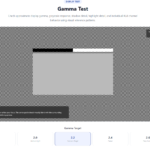
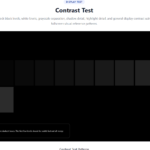
Need to check color appearance? ZafScreen includes the Green Screen Test, Screen Light Test, Screen Gamma Test, Screen Contrast Test, and Screen Color Banding Test. These tools let you look more closely at colors, gradients, brightness levels, shadows, and tonal transitions.

For motion-related checks, you can use the Refresh Rate Test and FPS Test. They provide a simple way to observe moving graphics and how smoothly they appear on your device.

There is more too.

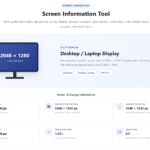
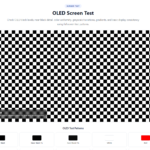
The Screen Resolution Test helps you view information about your current display resolution, while the Screen Info Tool brings useful display-related details together in one place. For OLED displays, ZafScreen also offers an OLED Screen Test and OLED Burn Test for visual inspection of uniformity and persistent image areas.

These tools can be useful for gamers, designers, photographers, developers, technicians, office users, students, or anyone who has just purchased a new display and wants to take a closer look at it.

ZafScreen screen tests are designed to work on modern desktop computers, laptops, tablets, and compatible mobile devices. Many tools also offer fullscreen viewing for a cleaner inspection area.

No installation is required. No account either.

Visit ZafScreen.com, choose a screen test tool, follow the on-screen instructions, and check your display in just a few moments.

FAQ (Frequently Asked Questions)

What are Screen Test Tools?

Screen Test Tools are browser-based utilities that help you visually check different aspects of a display, such as pixels, brightness, contrast, gamma, color gradients, motion, resolution, and OLED uniformity.

Are ZafScreen Screen Test Tools free?

Yes. ZafScreen.com provides free online screen testing tools that can be used directly in a supported web browser.

Do I need to install any software?

No. There is no software installation required. Just open ZafScreen.com, choose the test you want, and follow the instructions shown on the page.

Do I need to create an account?

No signup is required. You can use the available Screen Test Tools without creating an account.

What devices can I use with ZafScreen?

ZafScreen tools are designed to work on modern desktop computers, laptops, tablets, and compatible mobile devices. The experience may vary depending on browser and device capabilities.

What is the Dead Pixel Test used for?

The Dead Pixel Test helps you visually inspect the display for pixels that may remain dark, bright, or appear differently from the surrounding area.

What is the Backlight Bleed Test used for?

The Backlight Bleed Test displays a dark background that can make uneven bright areas around the edges of some displays easier to notice.

Can I check refresh rate and FPS on ZafScreen?

Yes. ZafScreen includes a Refresh Rate Test and FPS Test that can help you observe motion behavior and how smoothly moving graphics appear on your device.

Does ZafScreen have tools for OLED displays?

Yes. The site includes an OLED Screen Test and OLED Burn Test for visual inspection of OLED display uniformity and persistent image areas.

Can I use the tests in fullscreen mode?

Many ZafScreen tools include a fullscreen option. This can provide a cleaner viewing area and make visual inspection easier.

Scroll to Top