
Explore free online clocks and timers at ZafScreen.com, including digital clocks, analog clocks, smartwatch-style clocks, timer screens, and visual timers. Simple to use. No signup. Just open a tool and start tracking time.
Clock & Timers
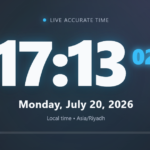
Digital Clock
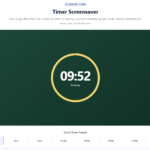
Quiz Timer
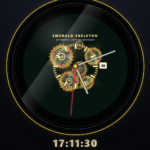
Analog Luxury Clock
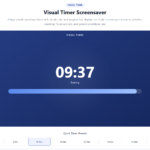
Visual Timer Screen
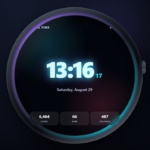
Digital SmartWatch
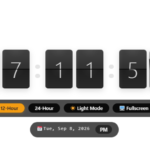
Flap Watch

Retro Digital Clock

Analog Smartwatch
About Clock & Timers
Time is one of those things we check all day without really thinking about it. A quick glance before a meeting. A countdown while studying. A clock running on a second display while working. Simple stuff, but useful.
That is where the Clocks & Timers tools at ZafScreen.com come in.
ZafScreen.com offers a collection of free online clocks and timers that work directly in your browser. No software to install. No account to create. Just choose the tool you want and start using it.
The Digital Clock gives you a clear, easy-to-read view of the current time and date. It works nicely on a desk, in an office, classroom, study area, or even on a second screen while you work.
Prefer something more traditional? The Analog Luxury Clock brings a classic clock-face look with a more polished style. The Analog Smartwatch gives you that familiar watch feel too, while the Digital SmartWatch offers a more modern time display.
There is also a Retro Digital Clock for users who like large digital numbers and a simple old-school appearance. Nothing fancy. Just time, clearly shown.
For productivity, ZafScreen includes a Timer Screen and Visual Timer Screen. These tools can be useful for study sessions, classroom activities, presentations, workouts, cooking, meetings, focused work, and everyday countdowns.
The Visual Timer is especially helpful when you want to see how much time remains without constantly reading the exact number. You can understand the progress at a glance, which can make timed activities feel easier to manage.
These online clock tools and timer tools can be used by students, teachers, professionals, remote workers, presenters, fitness users, and anyone who simply wants a clear clock or countdown in the browser.
ZafScreen tools are designed for modern desktops, laptops, tablets, and compatible mobile devices. Many tools can also be used in fullscreen mode for a cleaner viewing experience.
No downloads. No signup. No complicated settings.
Open ZafScreen.com, choose your preferred digital clock, analog clock, smartwatch clock, timer, or visual timer, and use it when you need it.
Simple time tools. Ready when you are.
FAQ (Frequently Asked Questions)
What are the Clocks & Timers tools on ZafScreen.com?
The Clocks & Timers tools on ZafScreen.com are free browser-based utilities for checking time, displaying clocks, and running countdowns. The collection includes digital clocks, analog clocks, smartwatch-style clocks, timer screens, and visual timers.
Are the online clocks and timers free to use?
Yes. The available online clocks and timers can be used directly on ZafScreen.com without paying for access.
Do I need to install any software?
No. There is nothing to download or install. Open ZafScreen.com in a modern web browser, choose the clock or timer you want, and start using it.
Do I need an account or signup?
No account is required. You can use the Digital Clock, Analog Luxury Clock, Digital SmartWatch, Retro Digital Clock, Analog Smartwatch, Timer Screen, and Visual Timer Screen without creating a profile.
What can I use the Timer Screen for?
The Timer Screen can be useful for study sessions, classroom activities, presentations, meetings, exercise, cooking, work intervals, and other activities where you want to track a set amount of time.
What is the Visual Timer Screen?
The Visual Timer Screen combines a countdown with a visual representation of the remaining time. This makes it easier to understand progress at a glance rather than constantly checking the exact numbers.
Can students and teachers use ZafScreen timers?
Yes. Students can use the timers for study sessions, homework, revision, and focus periods, while teachers may use them for classroom activities, quizzes, group work, or timed exercises.
What is the difference between the Digital Clock and Analog Clock?
The Digital Clock displays time using numbers, while the Analog Luxury Clock uses a traditional clock face with hands. Both show time, but the visual style is different.
Does ZafScreen have smartwatch-style clocks?
Yes. ZafScreen includes both a Digital SmartWatch and an Analog Smartwatch, giving users modern watch-inspired ways to display time in the browser.
What is the Retro Digital Clock?
The Retro Digital Clock provides a simple digital time display inspired by older electronic clocks. Large numbers make the time easy to read from a distance.
Can I use the clocks and timers in fullscreen?
Many ZafScreen clock and timer tools include fullscreen viewing where supported, which is useful for presentations, classrooms, desks, or a second display.
Which devices support ZafScreen Clock & Timer tools?
The tools are designed to work on modern desktop computers, laptops, tablets, and compatible smartphones through a web browser.
Who can use ZafScreen Clocks & Timers?
These tools can be useful for students, teachers, office workers, remote workers, presenters, fitness users, home users, and anyone who needs a simple online clock or timer.