
Explore fun and interactive Screen Simulators at ZafScreen.com, including Screen Dead, Hacker Type Screen, Online Meeting Simulator, Radar Screen, and Hacker Screen. These browser-based visual simulations are useful for entertainment, presentations, creative backgrounds, demonstrations, streaming setups, and playful screen effects. No installation. No signup. Just open a simulator and start using it.
Screen Simulators
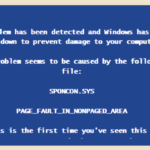
Screen Dead

Hacker Type Screen
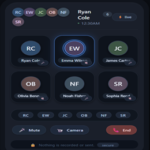
Online Meeting
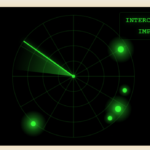
Radar Screen
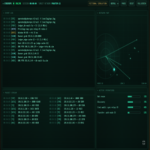
Hacker Screen
About Screen Simulators
Sometimes you just want something a little different on your display. Maybe a fake hacker screen for a presentation. Maybe a radar animation for a creative background. Or perhaps you just want a fun visual running in the browser for a few minutes.
That is where the Screen Simulators at ZafScreen.com come in.
ZafScreen.com offers a small collection of free online screen simulator tools that are designed for entertainment, demonstrations, presentations, creative setups, and casual use. Everything runs directly in the browser. No complicated software. No account required.
The Screen Dead Simulator recreates the look of an old system error or crash-style display. It can be useful for visual demonstrations, jokes, themed presentations, or simply creating that classic computer-error atmosphere.
The Hacker Type Screen gives you a dark terminal-style visual with typing effects. It is a fun option for tech-themed backgrounds, video scenes, streaming setups, or presentations where you want a dramatic coding-style look.
There is also an Online Meeting Simulator, which creates a meeting-style interface with participant tiles and controls. This can be handy for mockups, presentations, demonstrations, or creative projects where you need the appearance of a virtual meeting environment.
The Radar Screen adds a moving radar-style effect with sweeping lines and glowing points. It works nicely as a sci-fi background, gaming-inspired visual, presentation element, or simply something interesting to leave open on a second display.
For a more advanced tech look, the Hacker Screen provides a dashboard-style interface with code-like text, panels, and digital graphics. It is designed for visual effect and entertainment, not real hacking or system access.
These online screen simulators can be useful for students, content creators, streamers, presenters, designers, developers, teachers, and anyone who enjoys creative digital visuals.
Most tools are designed to work on modern desktops, laptops, tablets, and compatible mobile devices. Fullscreen mode may also be available for a more immersive look.
No installation. No signup. No technical setup.
Just visit ZafScreen.com, choose a Screen Simulator, open it in your browser, and enjoy the effect.
FAQ (Frequently Asked Questions)
What are the Screen Simulators on ZafScreen.com?
The Screen Simulators on ZafScreen.com are browser-based visual tools designed for entertainment, presentations, demonstrations, creative projects, and themed display effects. They recreate different digital environments without changing your actual system.
Which Screen Simulator tools are available on ZafScreen.com?
The current collection includes Screen Dead, Hacker Type Screen, Online Meeting Simulator, Radar Screen, and Hacker Screen. Each simulator has a different visual style and purpose.
Are the Screen Simulators free to use?
Yes. ZafScreen provides these online screen simulator tools for free use directly in your browser.
Do I need to install any software?
No installation is required. Open ZafScreen.com, choose a simulator, and start using it online.
Do I need to create an account?
No. There is no signup or account required to use the available screen simulators.
What is the Screen Dead Simulator?
The Screen Dead Simulator creates the appearance of an old computer error or system crash-style screen. It is intended for visual demonstrations, entertainment, themed presentations, and playful effects only.
What is the Hacker Type Screen?
The Hacker Type Screen creates a terminal-inspired typing effect with a dark digital look. It can be useful for tech-themed backgrounds, videos, presentations, streaming scenes, or just for fun.
Does the Hacker Screen actually hack anything?
No. The Hacker Screen is only a visual simulation. It does not access networks, devices, accounts, files, or perform any real hacking activity.
What can the Radar Screen be used for?
The Radar Screen Simulator displays a radar-style animation with sweeping graphics and glowing points. It can work well for sci-fi themes, gaming setups, presentations, videos, or background visuals.
What is the Online Meeting Simulator?
The Online Meeting Simulator recreates the appearance of a virtual meeting interface. It may be useful for mockups, demonstrations, educational presentations, or creative content.
Can I use Screen Simulators in fullscreen mode?
Many ZafScreen simulator tools can be viewed in fullscreen where supported by your browser. This gives the simulation a cleaner and more immersive appearance.
Which devices support ZafScreen Screen Simulators?
The tools are designed for modern desktop computers, laptops, tablets, and compatible smartphones. Performance may vary depending on the device and browser.
Who can use these Screen Simulator tools?
They can be useful for students, teachers, designers, developers, content creators, streamers, presenters, gamers, and anyone looking for fun or creative online screen effects.
Are ZafScreen Screen Simulators real system tools?
No. They are visual simulations only. They do not modify your operating system, install software, access private data, or change device settings.